
Before you get your badge, Facebook will look into your account to see if it meets their criteria for verification.
Here are four things Facebook will look for.
- The authenticity of your account. They’ll want to make sure you’re using your real personal or business name.
- Your account’s uniqueness. Your account should be interesting and specific (no general names like “cat memes” or “funny photos”).
- A complete setup. Your account doesn’t have to be fancy, but it does need a profile photo, an about section, and one post.
- A noteworthy account. No, you can’t pay for a verification badge. You need to prove you qualify for a badge by showing that real people search for your account.
Request a Verification Badge from Facebook
To apply for your badge, fill out Facebook’s contact form.
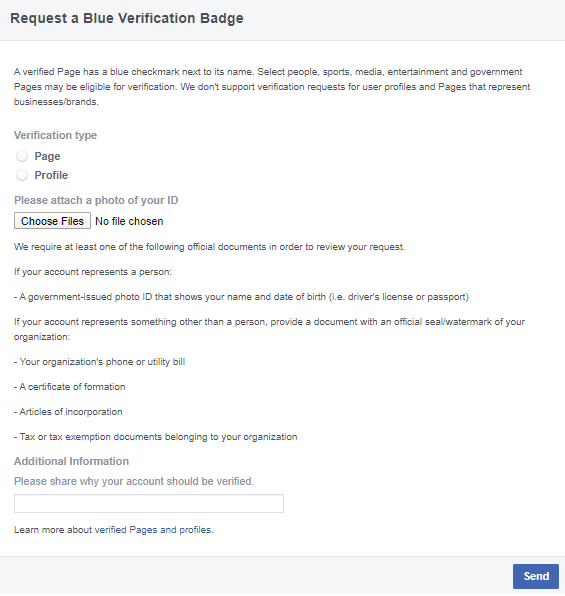

If you’re verifying a personal account, you’ll need to submit one government-issued ID.
This can be your driver’s license, passport, or national identification card.
If you’re verifying a business account, you’ll need:
- Tax exemption documents.
- Articles of incorporation.
- A certificate of formation.
- A copy of a utility or phone bill.
- A written explanation detailing why your account should receive a verification badge.
- URLs that prove your account’s notability.
As soon as you submit your request, it’ll take you anywhere from 48 hours to 45 days to get verification.
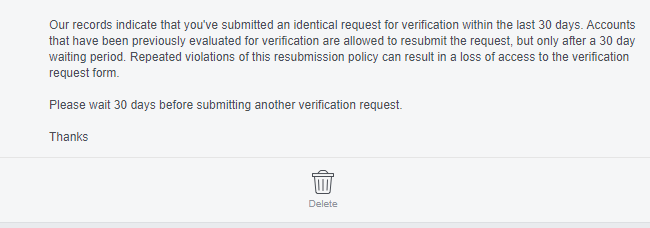
If your request is denied, you can apply again after 30 days
Things you need to know
if you repeat request several times during 30 days period you may permanently lose access request form